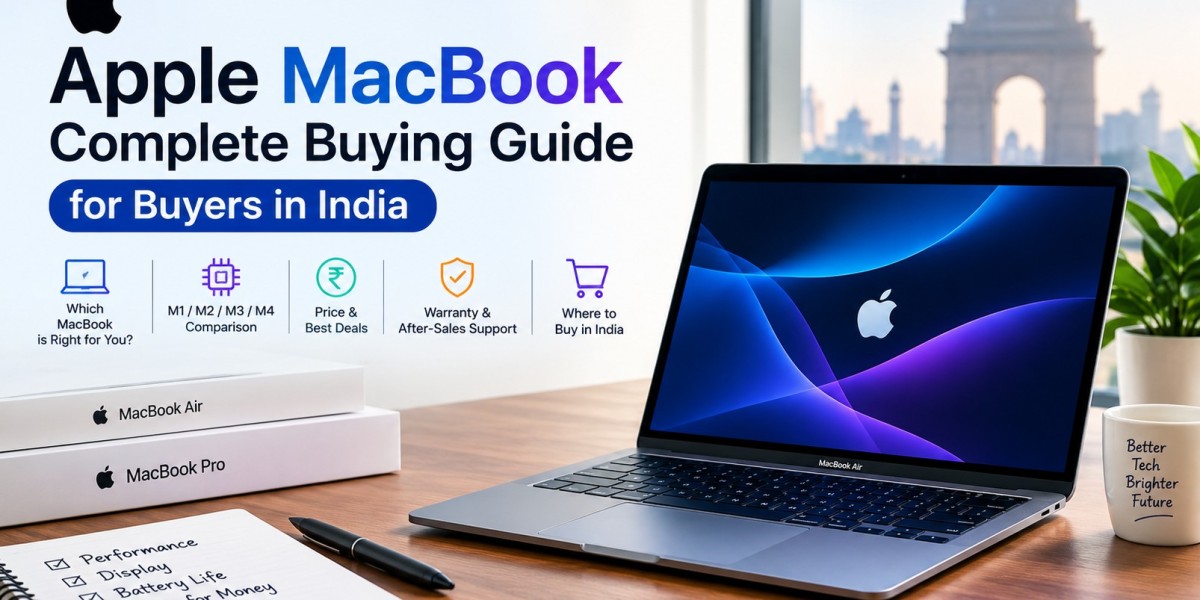

Thinking about buying an Apple MacBook in India but unsure which model, chip, RAM, storage, or screen size to choose? This complete MacBook buying guide explains everything you need to know before purchasing a MacBook in India.
Whether you are a student, working professional, business owner, content creator, designer, developer or creative professional, choosing the right MacBook depends on your workload, budget and long-term requirements.
In this guide, we cover MacBook models, Apple M-series chips, RAM, SSD storage, display, battery life, macOS, connectivity, pricing, accessories and important buying tips to help you choose the right MacBook for your needs.
Why Buy an Apple MacBook in India?
Apple MacBooks are popular because of their premium design, performance, battery efficiency, macOS experience and integration with other Apple devices.
The latest MacBook lineup is powered by Apple Silicon, including the M5 family, which is designed for everyday productivity, professional workloads, creative applications and AI-related tasks.
Key reasons to consider a MacBook include:
- Powerful Apple Silicon performance
- Excellent battery life
- Premium build quality
- High-quality Retina and Liquid Retina displays
- Fast SSD storage
- Secure and user-friendly macOS
- Seamless integration with iPhone and iPad
- Long-term software support
- Excellent portability for students and professionals
Apple MacBook Models Explained
Before buying a MacBook, understand the differences between the available models.
MacBook Neo
MacBook Neo is designed for users looking for an affordable entry point into the Mac lineup. It can be considered for everyday tasks such as browsing, online classes, documents, email, entertainment and general productivity.
MacBook Air
MacBook Air is designed for portability and everyday performance. The current MacBook Air lineup includes 13-inch and 15-inch models with the M5 chip. Apple lists up to 18 hours of battery life for the MacBook Air.
It is suitable for:
- Students
- Office professionals
- Business users
- Freelancers
- Content creators
- Programmers
- Everyday users
MacBook Pro
MacBook Pro is designed for demanding professional workloads. Current models are available with M5, M5 Pro and M5 Max chips and 14-inch and 16-inch display options.
MacBook Pro is suitable for:
- Video editors
- Graphic designers
- Software developers
- 3D professionals
- Photographers
- Music producers
- AI and machine-learning workflows
- Professional creative users
Apple MacBook Chip Guide
The processor is one of the most important factors when choosing a MacBook.
Current MacBook models use Apple Silicon, with the M5 family covering different performance levels.
M5
The standard M5 chip is suitable for everyday productivity, business applications, browsing, coding, photo editing and moderate creative workloads.
M5 Pro
M5 Pro is designed for users who need additional performance and higher memory configurations for demanding professional workloads.
M5 Max
M5 Max is targeted at users working with extremely demanding workloads such as professional video production, advanced 3D work, large creative projects and other intensive applications.
Buying tip: Don't automatically choose the most powerful chip. Select the processor based on the applications you actually use.
How Much RAM Do You Need?
MacBook uses unified memory, so choosing the right memory configuration at purchase is important.
8GB RAM
Suitable for basic browsing, email, documents and light everyday use where available.
16GB RAM
A good starting point for many students, professionals and general users. It is suitable for multitasking, office applications, programming and moderate creative work.
24GB–32GB RAM
Recommended for heavier multitasking, professional applications, development workloads and creative workflows.
Higher Memory Configurations
Professional users working with large video projects, 3D applications, advanced development environments or demanding workflows may benefit from higher memory configurations.
Apple's current MacBook Air configurations include 16GB, 24GB and 32GB unified memory options.
How Much Storage Do You Need?
Storage is another important consideration because MacBook storage cannot simply be upgraded later like a traditional desktop drive.
256GB–512GB
Suitable for:
- Web browsing
- Documents
- Online classes
- Office work
- Cloud-based workflows
1TB
A good choice for professionals, photographers, developers and users who keep larger applications and files locally.
2TB and Above
Consider higher storage if you regularly work with:
- 4K/8K video
- Large photo libraries
- Professional creative projects
- Large software projects
- Extensive offline files
Apple currently offers MacBook Air storage configurations ranging from 512GB to 4TB depending on the configuration.
MacBook Display Guide
Display size can significantly affect your productivity and portability.
13-inch MacBook
Ideal for students, travellers and professionals who prioritise portability.
15-inch MacBook Air
A larger screen provides more workspace while retaining the lightweight Air design.
14-inch MacBook Pro
A strong option for professional users who want a balance between screen size and portability.
16-inch MacBook Pro
Best suited to users who want a larger workspace for video editing, programming, design and other professional applications.
Depending on the model, Apple offers Liquid Retina and other advanced display technologies, while MacBook Pro also offers options such as a nano-texture display.
MacBook Battery Life and Charging
Battery life is one of the major advantages of Apple Silicon MacBooks.
Apple currently rates MacBook Air for up to 18 hours of battery life, while MacBook Pro can reach up to 24 hours depending on the model and usage conditions.
Actual battery performance can vary depending on:
- Screen brightness
- Applications
- Video playback
- Wi-Fi usage
- External displays
- Background processes
- Workload intensity
For frequent travellers and students, battery life can be an important reason to choose a MacBook.
Best MacBook for Different Types of Users
Best MacBook for Students
A MacBook Air is generally well suited to students who need portability, long battery life and enough performance for education and productivity applications.
Best MacBook for Office Work
MacBook Air is suitable for documents, spreadsheets, presentations, video meetings, email and web-based business applications.
Best MacBook for Business Users
Choose a configuration based on your business applications, multitasking requirements, storage needs and software compatibility.
Best MacBook for Programming
MacBook Air can handle many development workloads, while MacBook Pro is more suitable for demanding development environments and sustained workloads.
Best MacBook for Video Editing
Professional video editors should consider MacBook Pro configurations with higher-performance chips, more unified memory and larger SSD storage.
Best MacBook for Graphic Design
For Photoshop, Illustrator, InDesign and other creative applications, consider a configuration with sufficient unified memory and SSD storage.
Best MacBook for Content Creators
MacBook Air can be suitable for lighter content creation, while MacBook Pro is better suited to intensive video, audio and professional creative workflows.
macOS vs Windows: Which Is Better?
Choosing between macOS and Windows depends on your software requirements and existing ecosystem.
macOS Advantages
- Clean and intuitive interface
- Strong integration with Apple devices
- Optimised hardware and software experience
- Excellent creative software ecosystem
- Strong security features
- Continuity features with iPhone and iPad
Windows Advantages
- Wider hardware selection
- More gaming options
- Greater customization
- Broad software compatibility
- More choices across different price ranges
If you already use an iPhone, iPad or Apple Watch, macOS can provide additional ecosystem benefits.
MacBook Ecosystem Advantages
One of the biggest advantages of buying a MacBook is its integration with other Apple products.
Features such as AirDrop, Handoff, iCloud, Continuity and other ecosystem features can make it easier to move between an iPhone, iPad and Mac.
For Apple users who already own multiple devices, this integration can make everyday workflows more convenient.
MacBook Ports and Connectivity
Before purchasing a MacBook, check the ports you need.
Depending on the model, MacBooks can include:
- Thunderbolt / USB-C ports
- MagSafe charging
- HDMI
- SDXC card slot
- 3.5mm headphone jack
- Wi-Fi
- Bluetooth
MacBook Air currently includes two Thunderbolt 4 ports, MagSafe 3 and a 3.5mm headphone jack, while MacBook Pro models can offer additional ports including HDMI and SDXC.
If you regularly connect external monitors, storage drives, cameras or other accessories, check the exact connectivity of your chosen model.
Apple MacBook Price in India
MacBook prices in India vary depending on the model, chip, memory, storage and display configuration.
As of the current Apple India lineup, MacBook Air starts at ₹1,49,900 and MacBook Pro starts at ₹2,39,900 on Apple's India store. Apple also lists MacBook Neo from ₹79,900. Prices can change with new product launches, offers and configurations.
When comparing prices, also check:
- Bank offers
- No-cost EMI
- Student or education pricing
- Exchange offers
- Trade-in value
- Retailer discounts
- AppleCare+ pricing
- GST invoice requirements
Where to Buy an Apple MacBook in India?
You can purchase a MacBook through Apple and Apple Authorised Resellers in India.
Before buying, compare the complete deal rather than looking only at the advertised price.
Check:
- Product authenticity
- Warranty
- Invoice
- Available bank offers
- EMI options
- Exchange offers
- After-sales support
- Authorised reseller status
For business purchases, also check whether the seller can provide the appropriate GST invoice and documentation.
MacBook Buying Tips in India
Before purchasing a MacBook, follow these steps:
- Decide your budget.
- Identify the applications you use.
- Choose MacBook Air or MacBook Pro.
- Select the appropriate screen size.
- Choose the required Apple Silicon chip.
- Select enough unified memory for your workload.
- Choose adequate SSD storage.
- Check ports and external display support.
- Compare current offers and EMI options.
- Consider AppleCare+ if appropriate.
- Check the warranty and invoice before completing the purchase.
MacBook Accessories You Should Consider
Some useful MacBook accessories include:
- USB-C hub
- External SSD
- Laptop sleeve
- Wireless mouse
- External keyboard
- USB-C to HDMI adapter
- External monitor
- Laptop stand
- Screen protection accessories
- MagSafe charging accessories
Choose accessories based on your actual workflow rather than purchasing everything at once.
Common Mistakes to Avoid When Buying a MacBook
Buying More Performance Than You Need
You don't necessarily need an M5 Pro or M5 Max for basic office work.
Choosing Too Little Storage
If you work with large media files, 256GB or 512GB can become restrictive.
Ignoring RAM Requirements
Professional applications and heavy multitasking can benefit from higher unified memory.
Forgetting About Ports
Check connectivity before purchasing, especially if you use HDMI monitors, SD cards or multiple USB devices.
Focusing Only on the Discount
Compare warranty, invoice, authorised seller status, exchange value, and after-sales support alongside the price.
Not Considering Your Long-Term Requirements
Think about how you will use the MacBook two to four years from now, not just what you need today.
Apple MacBook Comparison
| Feature | MacBook Neo | MacBook Air | MacBook Pro |
|---|---|---|---|
| Target User | Everyday users | Students & professionals | Power users & professionals |
| Portability | High | Excellent | High |
| Performance | Everyday workloads | Everyday to advanced | Professional workloads |
| Display Options | Model dependent | 13-inch / 15-inch | 14-inch / 16-inch |
| Best For | Basic productivity | Work, study & mobility | Creative & demanding workloads |
| Chip Family | Model dependent | M5 | M5 / M5 Pro / M5 Max |
| Professional Workloads | Limited | Moderate | Excellent |
Frequently Asked Questions About MacBook in India
Which MacBook should I buy in India?
The right MacBook depends on your budget and workload. MacBook Air is designed for portability and everyday productivity, while MacBook Pro targets demanding professional workflows.
Is MacBook Air good for students?
Yes. MacBook Air can be a strong option for students who need portability, battery life and performance for education and productivity applications.
Is 16GB RAM enough for a MacBook?
For many users, 16GB unified memory is a practical starting point. Users with heavier professional workloads may benefit from higher memory configurations.
Should I buy a 512GB or 1TB MacBook?
Choose 512GB if most of your files are stored in the cloud or on external storage. Consider 1TB if you regularly keep large applications, photos, videos or project files locally.
Is MacBook good for office work?
Yes. MacBooks can handle common office tasks such as email, documents, presentations, spreadsheets, browser-based applications and video meetings.
Which is better: MacBook Air or MacBook Pro?
It depends on your workload. MacBook Air focuses on portability and everyday performance, while MacBook Pro is designed for more demanding professional workflows.
Final Verdict
Buying a MacBook in India is less about choosing the most expensive model and more about selecting the right configuration for your actual needs. For students, office professionals and users who prioritise portability, the MacBook Air is worth considering. For demanding workloads such as professional video editing, software development, 3D work and advanced creative applications, the MacBook Pro provides higher-performance configuration options.
Before purchasing, carefully compare the MacBook model, Apple Silicon chip, unified memory, SSD storage, display size, ports, battery requirements and overall price. The best MacBook is ultimately the one that gives you the right combination of performance, portability and value for your specific workflow.